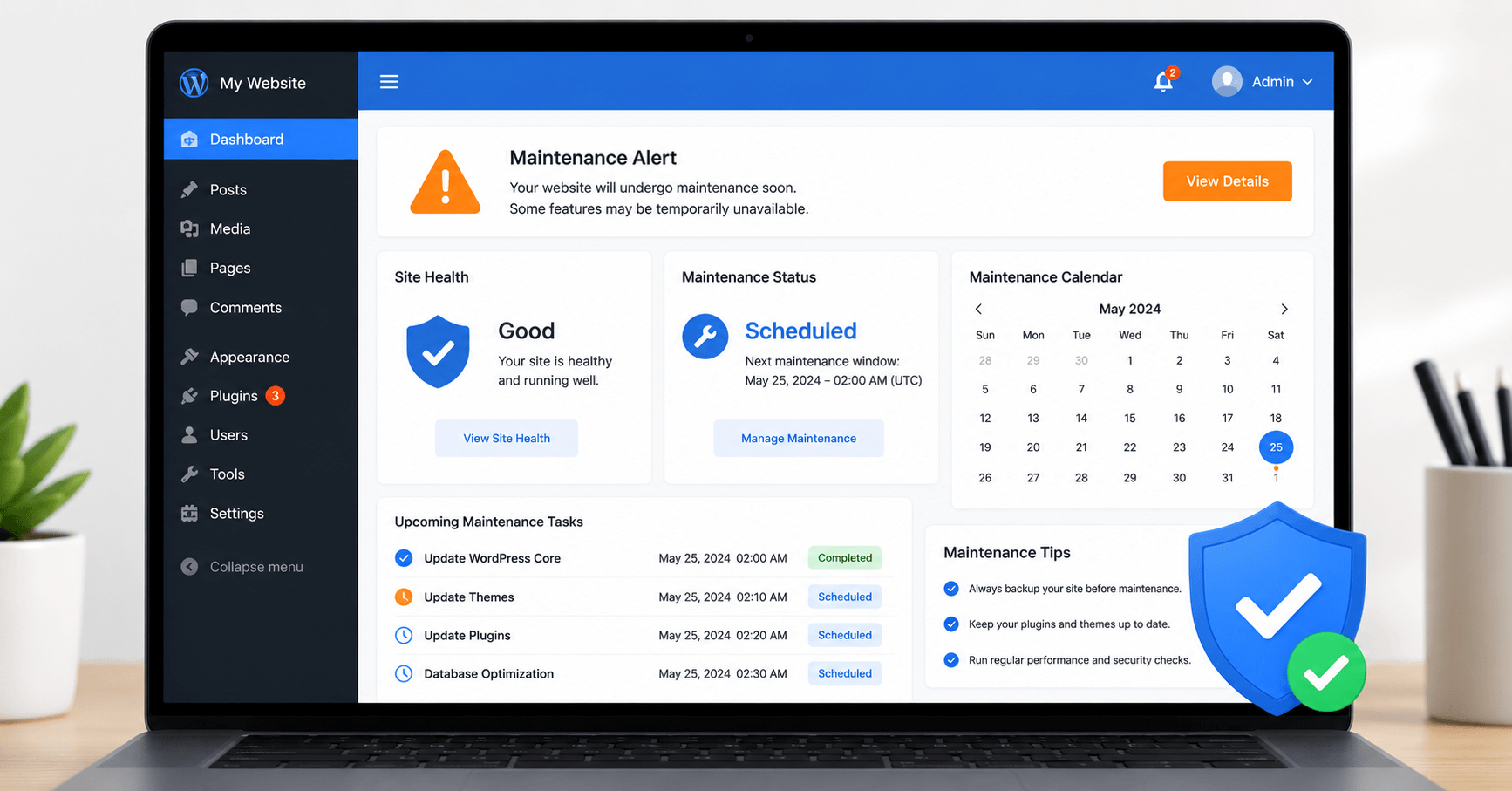
You launch your WordPress website, everything looks great, and then life gets busy. Months pass. You’re focused on running your business, writing content, or serving clients. The website is “working,” so you leave it alone.
Then one day, a customer messages you: “Hey, your site says it’s been hacked.” Or your Google rankings drop without explanation. Or a plugin update breaks your checkout page on a Friday afternoon.
This is what happens when WordPress maintenance gets skipped — and it happens to thousands of website owners every single year.
Understanding why WordPress maintenance is important isn’t just a technical topic. It’s about protecting your investment, your reputation, and the revenue your website generates. In this guide, I’ll walk you through every reason your WordPress site needs regular care, what happens when it doesn’t get it, and exactly what tasks you need to do to keep things running smoothly.
What Is WordPress Maintenance?
Before we get into the why, let’s be clear on what WordPress maintenance actually means.
WordPress maintenance is the ongoing process of keeping your website’s core software, themes, plugins, security, performance, and content in good working order. It’s not a one-time setup task — it’s a recurring commitment that keeps your site healthy, fast, and safe over time.
Think of it like maintaining a car. You don’t just fill it with petrol and never touch it again. You change the oil, check the tyres, run it through an annual service. Skip those things long enough and the engine starts to struggle — or fails completely.
A WordPress website works the same way. The platform has moving parts — core software, plugins, themes, a database, hosted files, and third-party integrations — all of which need regular attention to stay working well together.
WordPress maintenance typically includes:
- Updating WordPress core, themes, and plugins
- Taking regular backups of your site and database
- Monitoring for security threats and malware
- Checking and optimizing site speed and performance
- Fixing broken links and 404 errors
- Cleaning up the database
- Reviewing and refreshing content
- Testing contact forms and key functionality
When these things happen consistently, your site stays fast, secure, and reliable. When they’re ignored, problems compound quietly in the background — until they’re not quiet anymore.
Why Is WordPress Maintenance Important ? 8 Key Reasons
Here’s the heart of the matter. Let me walk you through the eight most important reasons why WordPress maintenance is important — not as a checklist of technical jargon, but as real consequences that affect real websites.
1. Security: Your Site Is a Target Whether You Know It or Not
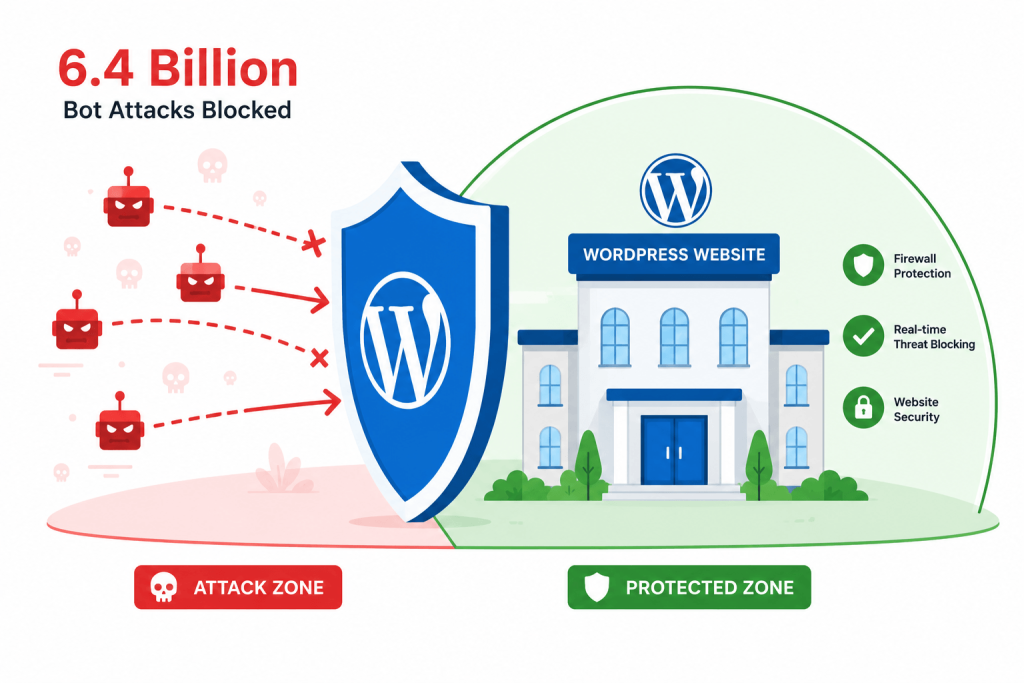
WordPress powers over 43% of all websites on the internet. That’s an enormous share of the web — and it makes WordPress the single most targeted platform for automated attacks, malware injections, and brute force login attempts.
Here’s a sobering number: the Wordfence security network alone blocks over 6.4 billion brute force attacks every single month. These aren’t targeted attacks by human hackers — they’re automated bots scanning the web for vulnerable sites, 24 hours a day.
What makes a site vulnerable? Outdated software. Plugins that haven’t been updated in months have known security holes that attackers actively exploit. Themes with old code. Weak passwords. Missing security configurations.
WordPress maintenance closes these gaps. Regular updates patch the vulnerabilities before they can be exploited. Security scans catch malware early. Proper configurations reduce your attack surface.
The alternative — doing nothing — doesn’t mean nothing happens. It means the bots keep knocking until they find a door that’s unlocked.
💡 Real example: In 2025, a widely-used AI plugin called AI Engine (versions 2.8.0–2.8.3) had a critical vulnerability that allowed any logged-in user to create new admin accounts on the site. Websites that had applied the update promptly were fine. Websites that had skipped WordPress maintenance updates were exposed.
2. Performance: Slow Sites Lose Visitors (and Rankings)
Website speed isn’t just a nice-to-have anymore. It directly affects how long visitors stay on your site, how many of them convert into customers, and where your pages rank in Google search results.
Research from Google consistently shows that as page load time increases from 1 second to 3 seconds, the probability of a visitor bouncing increases by 32%. At 5 seconds, that number jumps to 90%.
Without regular WordPress maintenance, site performance tends to slowly degrade over time in ways that aren’t immediately obvious:
- Database bloat — WordPress stores post revisions, spam comments, transients, and other data that accumulates over months. A bloated database runs slower queries, which means slower page loads.
- Image accumulation — Unoptimized images pile up in the media library, adding unnecessary weight to pages.
- Plugin conflicts — Outdated or incompatible plugins can slow rendering or cause unnecessary HTTP requests.
- Cache issues — Without regular cache management, visitors may see outdated content or your caching layer may stop working effectively after updates.
Regular WordPress maintenance keeps all of these in check — clearing database clutter, compressing images, managing caching, and ensuring everything is working together efficiently.
3. SEO: Google Rewards Healthy Sites
Here’s something many site owners don’t realize: WordPress maintenance and SEO are deeply connected.
Google’s ranking algorithms in 2026 put significant weight on a set of metrics called Core Web Vitals — specifically:
- LCP (Largest Contentful Paint): how fast the main content loads (target: under 2.5 seconds)
- INP (Interaction to Next Paint): how quickly the site responds to user interactions (target: under 200ms)
- CLS (Cumulative Layout Shift): whether the page layout jumps around while loading (target: under 0.1)
A poorly maintained WordPress site almost always has weak Core Web Vitals. Database bloat slows server response. Plugin conflicts cause layout shifts. Outdated caching plugins stop working properly after updates.
Beyond speed, WordPress maintenance affects SEO in other ways:
- Broken links send visitors and search engines to dead ends. Google tracks 404 errors and interprets them as a sign of a neglected site.
- Outdated content that hasn’t been reviewed or refreshed gradually loses ranking as fresher, more accurate content from competitors takes its place.
- Security issues can result in Google flagging your site with a “This site may be hacked” warning in search results — which destroys click-through rates instantly.
- Uptime matters too. A site that goes down frequently gets crawled less, indexed less, and trusted less by Google.
This is why understanding why WordPress maintenance is important is really an SEO conversation as much as a technical one.
4. Backups: Your Last Line of Defence Against Disaster
No matter how well you maintain your WordPress site, things can still go wrong. A botched plugin update can wipe out functionality. A hosting failure can corrupt your database. A malware attack can modify your files. Human error — accidentally deleting something important — happens to everyone.
The question isn’t if something will go wrong. It’s when, and whether you’ll be ready when it does.
A reliable backup strategy is the most important safety net in your entire WordPress maintenance routine. Without a recent backup, a single incident can mean:
- Days of work to rebuild pages from scratch
- Permanent loss of content, customer data, or sales records
- Paying an emergency developer premium to attempt a recovery
- Your site being offline for extended periods while you sort it out
What good WordPress maintenance backup practice looks like:
- Daily automated backups — not weekly, not when you remember. Daily.
- Off-site storage — your backup must be stored somewhere separate from your hosting server. A backup on the same server as your site disappears if the server fails.
- Database AND files — both the WordPress files (themes, plugins, uploads) and the MySQL database need to be backed up. One without the other is incomplete.
- Tested restores — a backup you’ve never tested restoring is a backup you’re not sure works. Test it periodically.
Plugins like UpdraftPlus, BackWPup, and Duplicator handle automated backups well. The key is setting them up and checking on them regularly — which is, again, part of regular WordPress maintenance.
5. Compatibility: Keeping Everything Working Together
WordPress is not one piece of software. It’s a stack — the core platform, plus dozens of plugins and a theme, all developed by different teams on different schedules, all running on a hosting environment with its own PHP version and server configuration.
Keeping all of these working well together is an ongoing job. Here’s why:
- PHP updates — WordPress and most plugins require a minimum PHP version. When your host updates PHP (or when you do), plugins that haven’t been updated may break. As of 2026, the practical floor for WordPress sites is PHP 8.2.
- Plugin conflicts — Two plugins that each work perfectly alone can conflict with each other after an update. Regular WordPress maintenance means testing after updates and catching these conflicts before visitors do.
- WordPress core updates — Major releases like WordPress 6.8 and 6.9 introduced new features (speculative loading, block-level notes, hidden blocks) that interact with existing caching plugins and themes in ways that need to be monitored.
- Theme updates — Themes that haven’t been updated in years may use deprecated code that breaks with newer WordPress versions.
Staying on top of updates as part of your regular WordPress maintenance routine means you’re always running compatible, current software — not hoping that an outdated plugin still happens to work with the latest version of everything else.
6. User Experience: A Broken Site Loses Customers
Think about the last time you visited a website and something didn’t work. The contact form returned an error. A page loaded a blank screen. Links led to 404 pages. Images were broken.
How long did you stay? Did you come back?
Visitors are unforgiving of broken experiences — and they don’t usually tell you when something is wrong. They just leave. According to research, 88% of users are less likely to return to a website after a bad experience.
Without regular WordPress maintenance, your site accumulates these small friction points over time:
- Contact forms stop sending emails when SMTP credentials change or email deliverability settings drift
- Broken internal links appear when you move, rename, or delete pages without setting up redirects
- Missing images show up when media files are moved or their URLs change
- Checkout pages fail on WooCommerce stores when payment plugins fall out of date
- Mobile layouts break when a plugin update changes CSS without being tested on mobile devices
Each of these is fixable — but only if you’re checking regularly. That’s what WordPress maintenance is for.
7. Uptime and Reliability: Your Site Should Always Be Open for Business
Your WordPress website is your digital storefront. Whether you’re running an ecommerce shop, a service business, or a content site — every minute it’s offline is a minute that visitors, leads, and revenue are going elsewhere.
WordPress maintenance includes active uptime monitoring — knowing immediately when your site goes down, not finding out two days later from a frustrated customer.
But uptime isn’t just about the hosting server. Maintenance-related issues that cause downtime include:
- A plugin update that throws a fatal PHP error and takes the site offline
- A database that becomes so bloated it times out under load
- A security incident that results in your hosting provider suspending the site
- A memory limit being exceeded after a new plugin is installed
All of these are things that consistent WordPress maintenance either prevents entirely or catches early — before they become a full-blown outage.
8. Longevity: A Maintained Site Keeps Getting Better
Here’s the big-picture reason why WordPress maintenance is important that often gets overlooked: a well-maintained site compounds over time.
Content that’s regularly updated and refreshed keeps ranking and driving traffic. Security that’s proactively managed means you never have to go through a recovery and rebuild. Performance that’s monitored and optimized means visitors consistently have a good experience. A clean, well-organized database means everything runs efficiently.
Neglect compounds too — just in the opposite direction. A site that’s ignored gradually accumulates technical debt, security risks, performance problems, and stale content. Eventually it takes more time and money to fix than it would have cost to maintain all along.
The sites that grow, rank, and generate consistent revenue over years are almost always the ones where the owners — or their agencies — took WordPress maintenance seriously from the beginning.
WordPress Maintenance Checklist
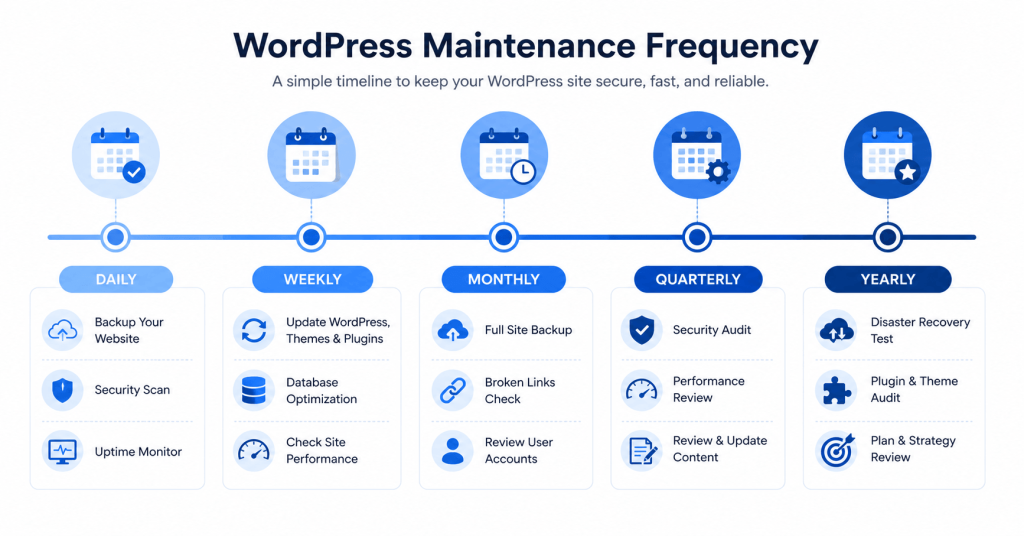
Now that you understand why it matters, here’s a practical breakdown of what WordPress maintenance tasks to do and how often.
Daily Tasks
- ✅ Check that your site is online (use an uptime monitor like UptimeRobot — free tier available)
- ✅ Confirm that automated backups ran successfully
- ✅ Review security scan results for any threats or vulnerabilities
Weekly Tasks
- ✅ Update WordPress core, plugins, and themes (test on staging first if possible)
- ✅ Clear your site’s cache after updates
- ✅ Quickly review your site for any visible errors or layout issues
Monthly Tasks
- ✅ Run a broken link audit and fix any 404s or dead outbound links
- ✅ Check PageSpeed Insights and Core Web Vitals scores
- ✅ Send a test submission through every contact form on the site
- ✅ Review PHP error logs and fix any recurring errors
- ✅ Delete spam comments and moderate the comment queue
- ✅ Remove any plugins or themes that are no longer being used
Quarterly Tasks
- ✅ Audit user accounts and remove anyone who no longer needs access
- ✅ Review and update passwords for all admin accounts
- ✅ Optimize and clean up the WordPress database
- ✅ Check that all premium plugin and theme licenses are up to date
- ✅ Review your security logs for any suspicious patterns
- ✅ Test that your most recent backup can be successfully restored
Yearly Tasks
- ✅ Full content audit — update outdated posts, refresh statistics, remove irrelevant content
- ✅ Backlink audit — check for toxic links that could hurt your SEO
- ✅ Review your About page, contact information, and copyright year
Tools That Make WordPress Maintenance Easier
You don’t have to do all of this manually. These tools help automate and simplify the most important WordPress maintenance tasks:
| Tool | What It Does | Cost |
|---|---|---|
| UpdraftPlus | Automated backups to cloud storage | Free + Pro |
| Wordfence | Security scanning, firewall, malware detection | Free + Pro |
| WP Rocket | Caching, performance optimization | Paid |
| UptimeRobot | Uptime monitoring with alerts | Free tier |
| WP Umbrella | All-in-one maintenance dashboard for agencies | Paid |
| Redirection | Broken link management and 301 redirects | Free |
| WP-Optimize | Database cleaning and optimization | Free + Pro |
For most individual site owners, a combination of UpdraftPlus (backups), Wordfence (security), and WP Rocket (performance) covers the critical bases without spending much money.
What Happens If You Skip WordPress Maintenance?
It’s worth being direct about this. Here’s what typically happens to WordPress sites that are left unmaintained:
Within 3–6 months:
- Plugin vulnerabilities accumulate as updates are skipped
- Database starts to bloat, causing slightly slower load times
- Broken links begin to appear as external sites change
Within 6–12 months:
- Core Web Vitals scores start to drop, affecting search rankings
- Security risks become significant as outdated plugins pile up
- Contact forms or other functionality may quietly stop working
After 12+ months:
- Serious security incidents become likely — malware injection, spam redirect hacks, or site defacement
- SEO rankings may have declined substantially
- A significant rebuild or recovery effort may be required
The uncomfortable truth is that the cost of not doing WordPress maintenance is almost always higher than the cost of doing it. A 30-minute monthly maintenance routine can prevent an emergency that takes days to resolve.
Final Thoughts
Why is WordPress maintenance important? Because your website is not a finished product — it’s a living system that needs care to stay healthy, secure, fast, and competitive.
Every update you skip is a risk you’re accepting. Every backup you don’t take is a disaster you’re not prepared for. Every performance issue you ignore is a visitor you’re losing.
The good news is that WordPress maintenance doesn’t have to be overwhelming. With the right tools and a consistent routine, you can keep your site in excellent shape with just a few hours of attention per month. Set up your backups today. Schedule your updates. Run a speed test. Check your forms.
Start small, be consistent, and your WordPress site will keep working hard for your business — for years to come.